Godot4 w/ C# in VSCode setup

2 minutes

I spent some time trying to set up my dev environement to be able to run and debug a Godot game written in .Net inside VSCode.
Here are the steps I took to setup:

  1. Install Godot Engine for .Net Link
  2. Install .Net SDK Link
  3. Go into VSCode and install the following extensions
    • .NET Install Tool
    • C#
    • C# Dev Kit
    • C# Tools for Godot
  4. In the Godot Engine, click on Project -> Project Settings, then on the sidebar under Application, click on Run and set a main scene.
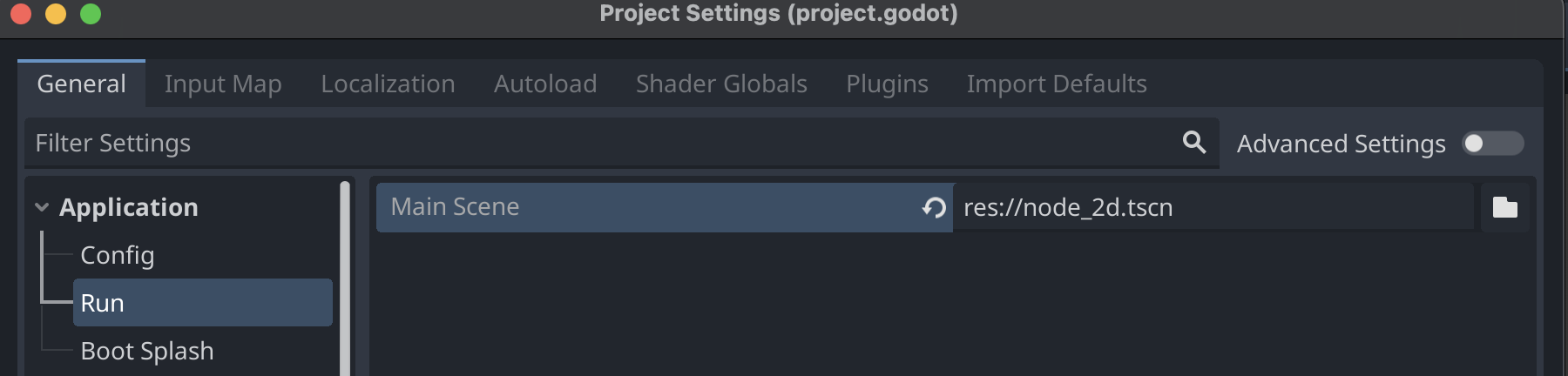
Godot 4 project settings showing the main scene configuration under Application > Run

  1. In the Godot Engine, click on Editor -> Editor Settings, then scroll down on the sidebar, under Dotnet click on Editor, and change the external editor to VSCode.
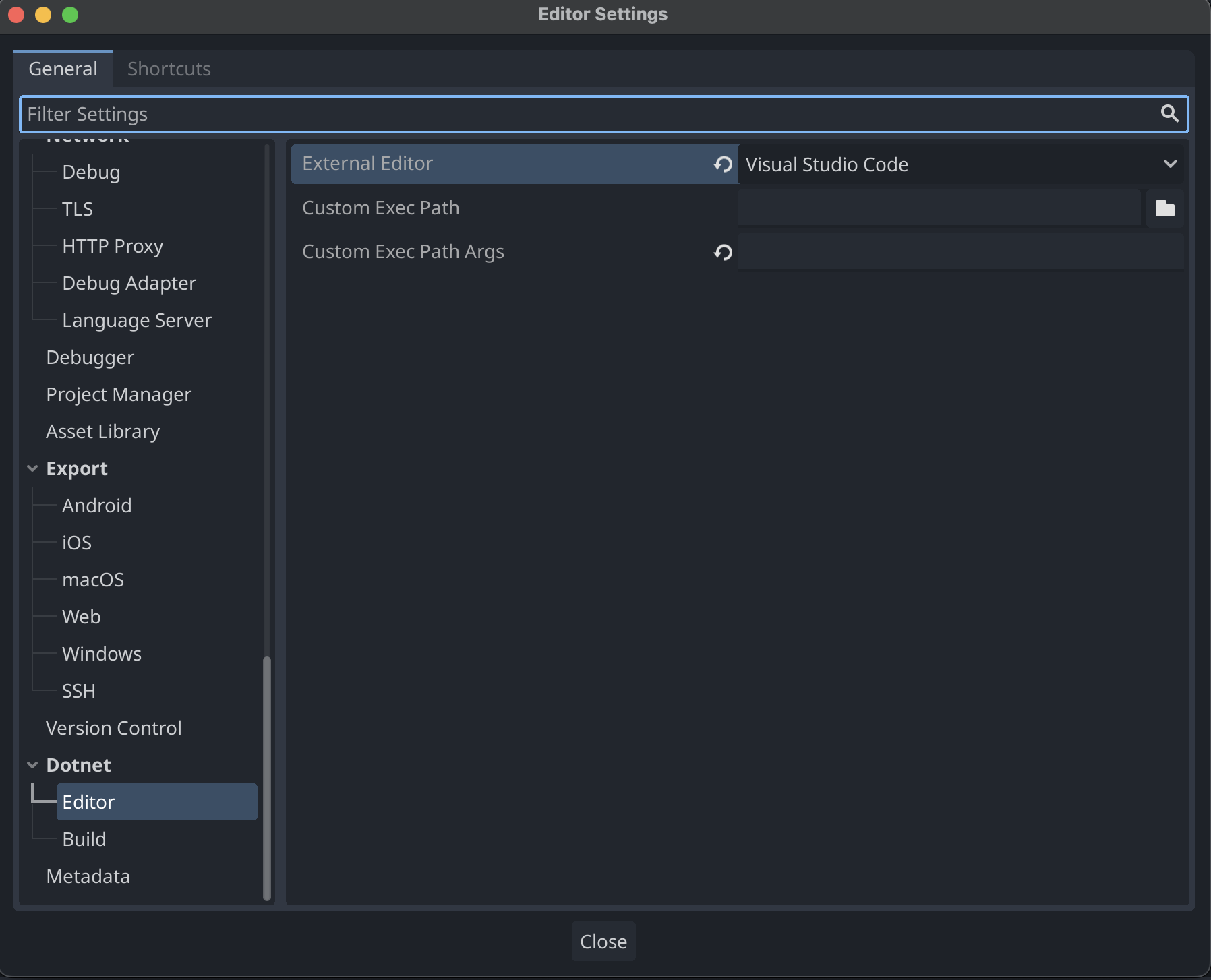
Godot 4 editor settings showing external editor set to VSCode under Dotnet > Editor

  1. Open your project in VSCode, you will need to add two files in order to debug and run your game from VSCode.
    Create a .vscode folder, with two files, launch.json and tasks.json

launch.json:

1
2
3
4
5
6
7
8
9
10
11
12
13
14
15
16
17
18
19
20
21
22
23
24
25
26
27
28
29
30
31
32
33
34
35
36
37
38
39
40
41
42
43
44
45
46
47
48
49
50
51
52
53
54
{
"version": "2.0.0",
"configurations": [
{
"name": "Launch",
"type": "coreclr",
"request": "launch",
"preLaunchTask": "build",
"program": "{env:GODOT4}",
"cwd": "${workspaceFolder}",
"console": "internalConsole",
"stopAtEntry": false,
"args": [
"--path",
"${workspaceRoot}"
]
},
{
"name": "Launch (Select Scene)",
"type": "coreclr",
"request": "launch",
"preLaunchTask": "build",
"program": "{env:GODOT4}",
"cwd": "${workspaceFolder}",
"console": "internalConsole",
"stopAtEntry": false,
"args": [
"--path",
"${workspaceRoot}",
"${command:godot.csharp.getLaunchScene}"
]
},
{
"name": "Launch Editor",
"type": "coreclr",
"request": "launch",
"preLaunchTask": "build",
"program": "{env:GODOT4}",
"cwd": "${workspaceFolder}",
"console": "internalConsole",
"stopAtEntry": false,
"args": [
"--path",
"${workspaceRoot}",
"--editor"
]
},
{
"name": "Attach to Process",
"type": "coreclr",
"request": "attach"
}
]
}

and tasks.json:

1
2
3
4
5
6
7
8
9
10
11
12
13
14
15
16
17
18
19
20
21
22
23
{
"version": "2.0.0",
"tasks": [
{
"label": "build",
"command": "dotnet",
"type": "shell",
"args": [
"build",
"/property:GenerateFullPaths=true",
"/consoleloggerparameters:NoSummary"
],
"group": {
"kind": "build",
"isDefault": true
},
"presentation": {
"reveal": "silent"
},
"problemMatcher": "$msCompile"
}
]
}
  1. Create a new environment variable called GODOT4, with its value being the path to your godot executable.
    In my case, on a mac, this was the correct path /Users/eliranturgeman/Downloads/Godot_mono.app/Contents/MacOS/Godot

This might be a beginning of a “dev log” kind of a series, or a one time thing, nobody knows.